Your studio notebook, digitized.
Manage your glass & ceramic projects, firing schedules, and studio workflow.
Join KilnTrack Early Access
We're in soft launch and inviting glass & ceramic artists and studio owners to experience KilnTrack. Start with our free tier and see how KilnTrack can help you manage your projects, firing schedules, and studio workflow more efficiently. Sign up using the form below!
What is KilnTrack?
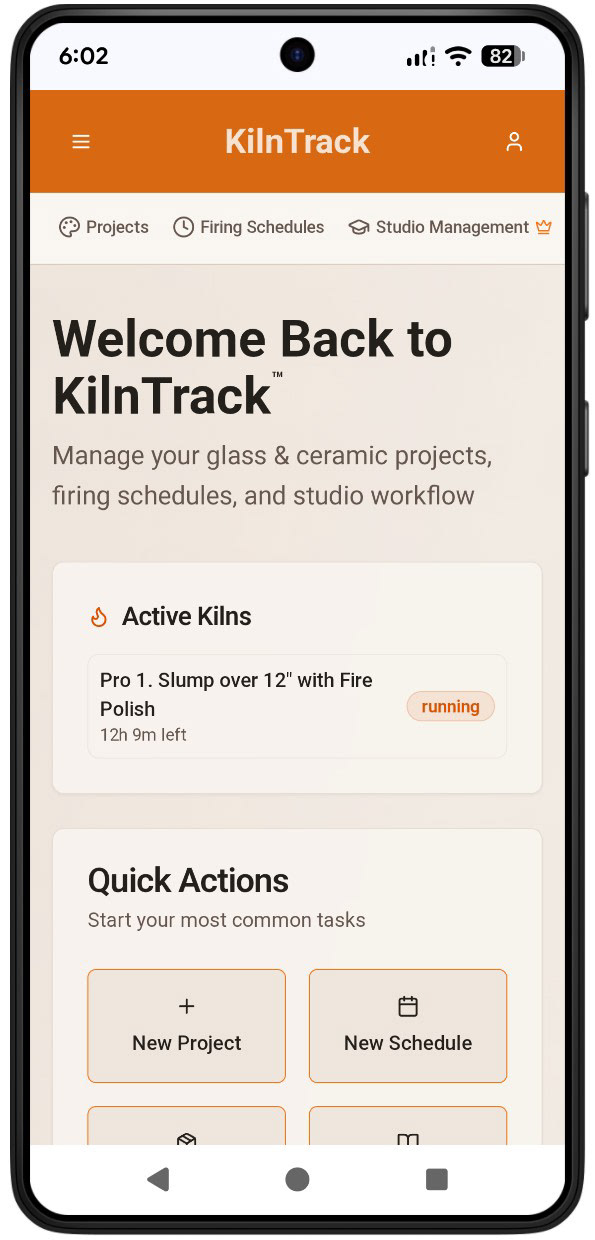
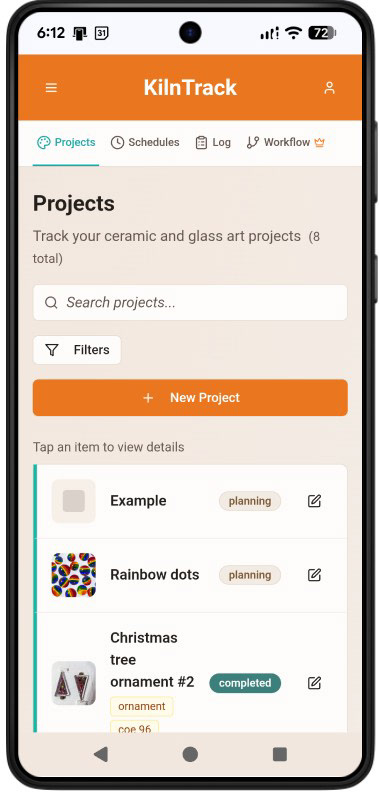
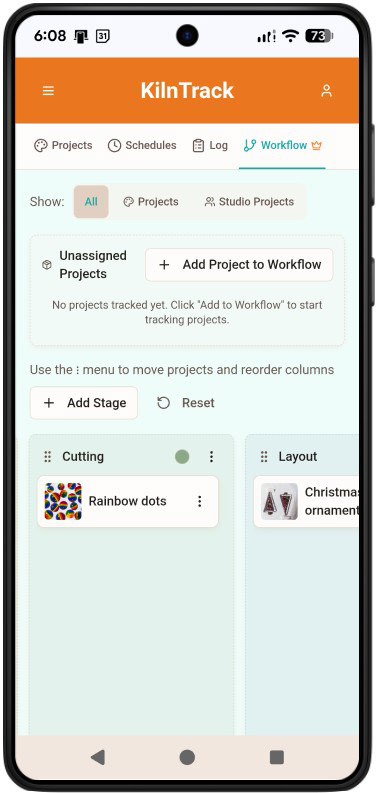
KilnTrack simplifies kiln management for ceramic and glass artists. Track your projects from start to finish, manage firing schedules, document results, and build your personal library of successful techniques. Plus, organize your studio with tools for supplies, vendors, equipment tracking, and firing cost calculations.
Built by Artists, for Artists
I've been there. Standing in front of a kiln full of glass pieces, trying to remember which firing schedule I used last time. Digging through notebooks to find that perfect temperature ramp. Wondering if I documented that successful slumping schedule or color palette anywhere.
As both a glass artist and a User Experience designer, I realized I was using my professional skills to solve problems for everyone else—but not for myself and my fellow kiln artists.
So I built KilnTrack: the app I wish I'd had from day one. And while I work with glass, I designed it for everyone who uses a kiln—whether you're fusing glass, firing ceramics, or both.
Frequently Asked Questions
What devices does KilnTrack work on?
KilnTrack is web-based and works on any modern browser - desktop, tablet, or smartphone. For best results, use: Google Chrome (version 60 or later) (Most Preferred), Mozilla Firefox (version 60 or later), Microsoft Edge (version 79 or later), Safari (version 12 or later) and access the internet via a stable connection.
What are some of the features of KilnTrack?
In addition to project tracking, firing schedules, supplies/suppliers and firing cost calculations, you can build your personal library of successful techniques and glass/glaze inventories. Plus the following:
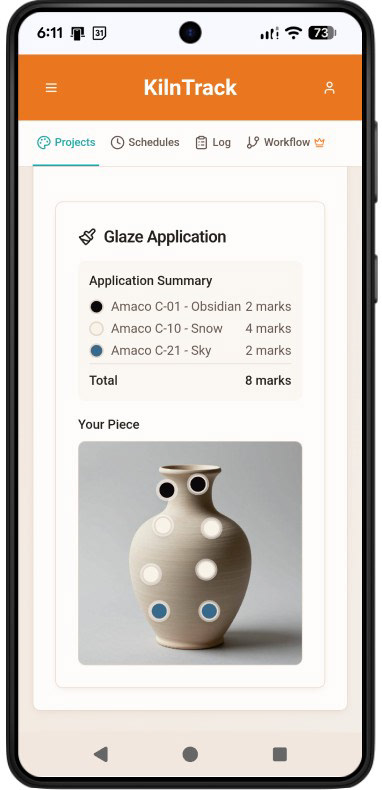
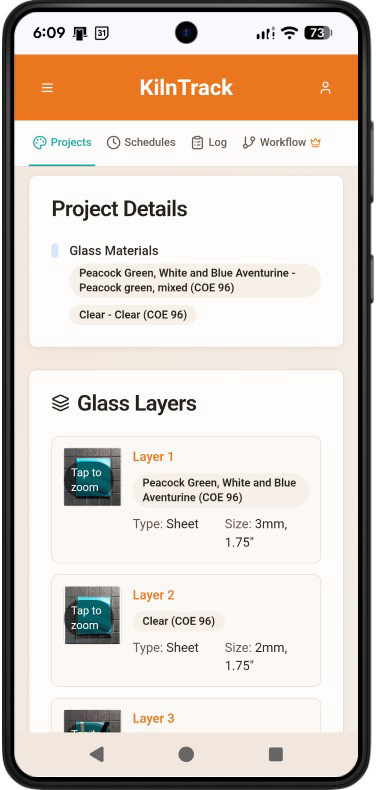
Medium-specific Projects: - For Glass, you have sections such as Layers, allowing you to note and photograph each level of your glass composition. For Clay, there is a Glaze Application feature that enables you to upload a photo of your work and note where and which glazes have been applied.
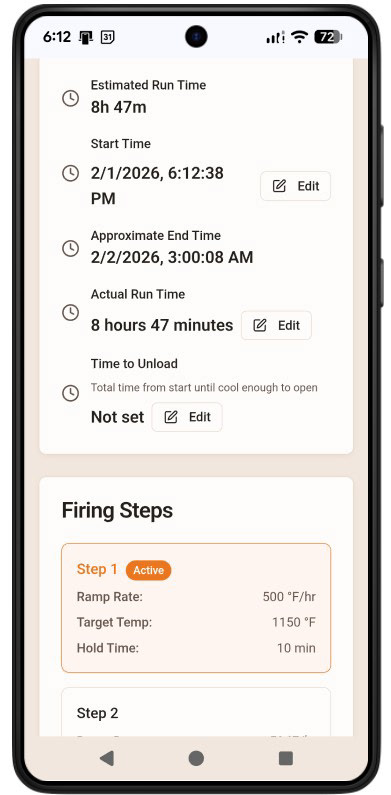
Firing Schedules: See your schedule in action when using the timer function or just get an estimate of how long it will take to run at a later date.
Materials Catalogs (feature in progress): Download glass and glaze items from a prepopulated library to add to your own inventory.
Detailed Firing Logs: For Professional Tier and above. Import your firing schedule and add notes. In addtion for Ceramics, there is a visual cone setter.
Downloads: You can download your projects, schedules, and many other features in KilnTrack as CSV or PDF (available in Professional and Studio Pro tiers).
Does it connect directly to my kiln?
Not at this time. This version focuses on the artistic process organization, project tracking and kiln scheduling.
Can I suggest new features?
Absolutely! We want to hear your ideas.
How much does it cost?
We offer a free tier with limited features and project limits (see sign-up form below) in addition to the tiers below.
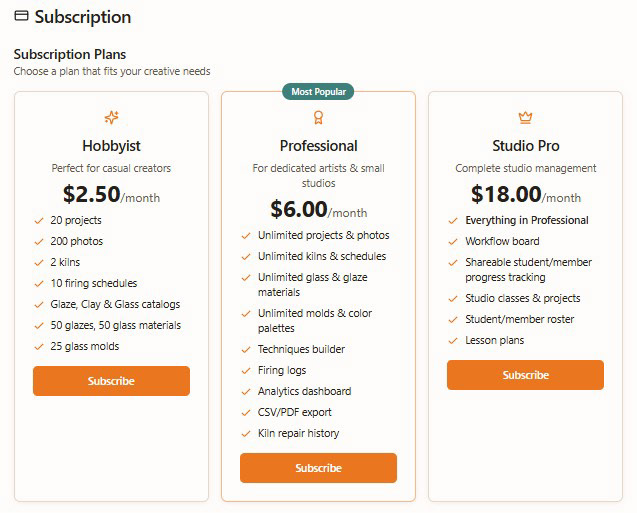
Image for reference only. Direct sign up for KilnTrack will be available in the near future.
Ready to get started?
Get started with our free tier - no credit card required.
Thank you! We will be in touch shortly.
We process sign-ups manually to ensure the best experience. You'll hear from us within 1-2 business days.
Any questions or comments, please contact us at info@kilntrack.com.
© 2025 KilnTrack™. All rights reserved.